Spicy USB - BadUSB Research on Linux
Disclaimer
This project is for educational purposes only. All testing is conducted on my own machines. Unauthorised use of these techniques is illegal. If you replicate any of this, do it on your own systems only.
Why?
A while back I noticed I still blindly plug things into the USB ports on the front of my PC without really thinking about it. Charging my earbuds etc. The earbuds are from a well-known brand so I've never worried much, but the habit itself isn't great.
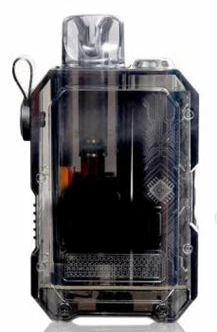
What properly got my attention was watching a friend plug his e-cigarette into his laptop. I asked where he'd got it. Amazon, about £20. That's fine on its own, but it got me thinking - would I plug one of those things into my PC? Probably not. But the same logic applies to a lot of cheap electronics that people don't think twice about, and the amount of these devices on the market is insane. Amazon has a pretty good rep, but not perfect. I had a look and found a vape cig on Amazon for a tenner that happens to be almost exactly the same size (height) as a Raspberry Pi Pico.
I happen to have a few Pico boards sitting doing nothing. So, Spicy USB was born. Time to have some fun, and maybe learn a little.
What is a BadUSB?
A BadUSB is exactly what it sounds like, a USB device that is built / programmed to perform malicious actions. Basically, a class of attack where a USB device's firmware is reprogrammed to act as something other than what it appears to be, in my case, the little vape I bought, though really, a Pico for now. You can buy "ready to go" ones online. I might grab one to have a look, but they are a lot more expensive than a Pico so. Most of the ones I found, and from doing a bit of reading, act as a keyboard, a Human Interface Device AKA HID, programmed to type out commands the moment it's plugged in to a machine. Since the OS sees it as a trusted input device ("I'm just a wee keyboard, don't mind me"), it doesn't raise any flags. Or will it...that's what I want to find out.
The Raspberry Pi Pico, using CircuitPython, I think will be perfect for emulating this. It's a legit microcontroller, but with my plan to make it a little "spicy", I hope to gain better understanding of how these attacks work, and how various OSs handle them. So the goal: understand the attack vector properly, from the inside, so I can then understand the defence side of things.
Hardware
- 2x Raspberry Pi Pico (RP2040) - One as the primary device, one as a backup/development board (£4 each)
- CircuitPython 9.x - Adafruit's Python is perfect for HID emulation, and has fantastic docs
- adafruit_hid library - Handles the keyboard and mouse emulation
The more I've been thinking about this, the more I'm starting to feel that the Pico is the perfect choice for this. It's cheap, power-savvy, and CircuitPython is really great..you edit files directly on the board's storage, save, and it runs immediately. So simple, but potentially crazy powerful.
Test Environment
Since this is a Linux-focused project and I want to test across different distros and desktop environments, I've set up a Ventoy USB stick with four distributions that I feel are pretty popular in the community:
- Manjaro XFCE 26.0.1 - Arch-based, XFCE desktop. This will be the baseline.
- Fedora KDE Plasma 43 - RPM-based, KDE desktop
- Ubuntu 24.04.3 GNOME - Debian-based, GNOME desktop
- Linux Mint 22.3 Cinnamon - Ubuntu-based, Cinnamon desktop
Using live environments is the obvious choice. I don't mess around with stuff like this on my main PC, and honestly I don't know how this is going to go. With a live boot, I've got a disposable environment, they boot clean every time, and there's no risk of accidentally doing something to my main system. Each distro will run it's default DE, which is what I want to test against.
First things first.. I think the trickiest part of my HID-based payload is going to be opening a terminal. Most DEs do it a little differently, the keyboard shortcuts aren't consistent, XFCE, GNOME, KDE, and Cinnamon all have different defaults, and some don't have a global terminal shortcut at all. So..that's one of the first problems to solve.
The Plan
The project is broken into five parts:
- Build my foundation - Hardware, test environment, project structure. Done.
- Basic payloads - Get the Pico flashed with CircuitPython, write a simple "Hello World" payload, as is tradition, then build up to basic terminal access and command execution on Manjaro XFCE.
- Cross-Platform testing - Extend my payloads to handle different desktop environments. I'll need to implement fallbacks and detection logic, and test on all four distros.
- Advanced payloads - Basic system recon: gather OS, DE, shell, user, network config. Minimise visibility during execution. Self-cleanup. Review the logs on the distros to see how big a "fingerprint" I left
- Document and defend - Write up findings, document what works and what doesn't, make a "strategy" for my systems going forward, maybe try and write some detection scripts etc
Current Status
Update, March 29: Two payloads are now working on Manjaro XFCE. The first is a basic hello-world that opens the Application Finder (Alt+F2) and types a visible command. The second runs a series of commands in the App Finder using bash -c, it writes to a file, deletes it, and leaves a trace in a confirmation file I can monitor. Total execution time from plugging the Pico in to completion is around 4 seconds.
The bash -c approach is cleaner than anything depending on a shortcut to open a terminal since these vary a fair bit. The App Finder pops up briefly, flash of a command, and then closes. So it's not completely invisible, but on a busy screen or with a distracted user it could be easy to miss. For anything more complex I was hitting the command length limit on the App Finder, so planning a two-stage payload (drop a script to /tmp, execute it) after testing these basic ones on other distros.
Update, April 3: Fedora KDE Plasma 43 done. I expected it to put up more of a fight than Manjaro — it ships with SELinux in enforcing mode and auditd running, neither of which gave any indication the payload had executed. Writing to $HOME as the logged-in user is entirely normal behaviour from SELinux's perspective, so there was nothing for it to deny. Auditd logged my own monitoring commands but nothing from the bash -c the payload triggered. No trace in journalctl either. Despite the extra security tooling, it was actually quieter than Manjaro.
The bigger issue was the run dialog. On XFCE, Alt+F2 opens the Application Finder which just waits for a command. On KDE, Alt+F2 opens KRunner, which starts matching against installed apps as you type. My command started with b, so KRunner helpfully selected Bluetooth Settings and opened that instead when Enter arrived. Not a timing problem — that's just how KRunner works. Switching to Alt+Space opens KRunner in Command Line mode, which takes a full command string without trying to be clever about it. That worked first time.
So the shortcut isn't as universal as I'd assumed. Alt+F2 works on XFCE, GNOME, and Cinnamon, but KDE needs Alt+Space. That's the kind of thing that's only going to keep coming up as I test more DEs, and it's exactly why I'm doing the basic payload runs before the more complex stuff. Ubuntu GNOME is next.
The full write-up is in the GitLab repo.
What I'm Hoping to Learn
Mainly I want a practical understanding of how these BadUSB devices work, what defences different distros might have built in, and what could make those defences better. I deal with security policies at work, more Cloud than physical access, but at the end of day, the Cloud is physical so. Actually building an attack tool, even a simple one, and watching it execute...or potentially completely fail, is going to be a different experience for me. I really want to see what defences are actually effective here; USB port blocking, USBGuard, device whitelisting etc, and which ones are just...well, not great.