CronGUI: Simple Python Crontab Editor
How This Started
Crontab syntax isn't exactly welcoming. Five fields, each with their own rules, and one wrong character can silently break every scheduled job you have. I'd watched colleagues paste expressions from the internet and cross their fingers, or worse, accidentally wipe their entire crontab during an edit and spend the next hour reconstructing it from memory. It felt like something that deserved a better interface than a raw text editor. I'd been poking around with Python and Tkinter, and this seemed like a natural fit.
Overview
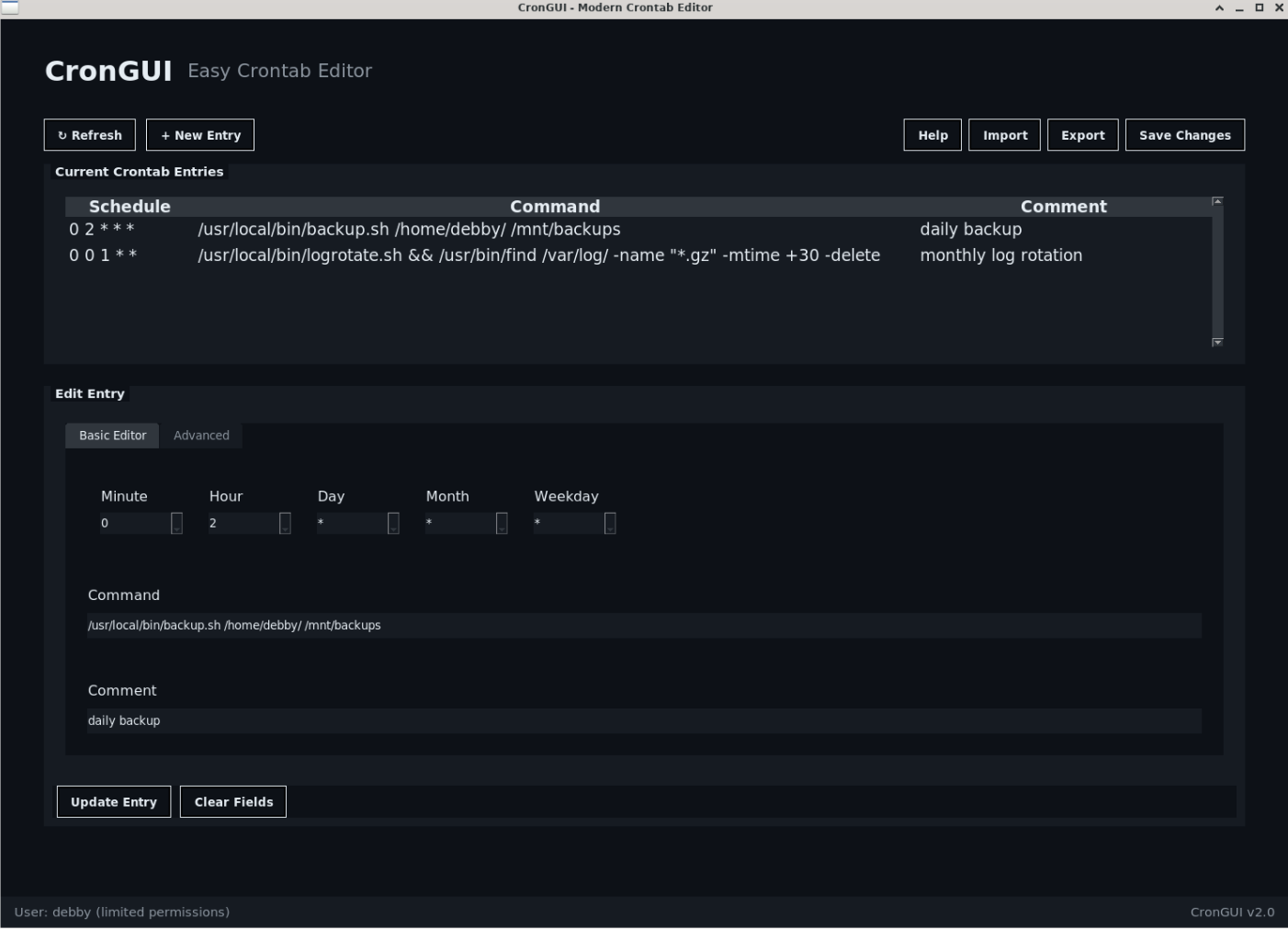
A small Python GUI for managing Linux cron jobs without command-line editing. I have to give credit to Claude here, as Python GUIs were relatively new territory for me, and it was a big help for getting the Tkinter side sorted.
The Problem
Cron is powerful but unforgiving. The syntax can be a wee bit cryptic (0 */2 * * *), and a single mistake in crontab -e can break all your scheduled jobs. For less experienced users, it's genuinely intimidating. Even for experienced users, it's easy to make mistakes when you're tired or in a hurry.
Key Features
- Visual cron schedule builder - No need to memorize the syntax
- Automatic backup system - Crontab is backed up before any changes
- User-friendly interface - Built with Tkinter for simplicity and to keep it light
- Templates, Import, and Export functions - Save common jobs for reuse
Built With
- Python - Core application logic
- Tkinter - GUI framework (comes with Python, no extra dependencies)
- Claude AI - Python being relatively new to me, this was a big help for learning best practices
Challenges Solved
The main thing was making the schedule builder actually intuitive. Cron syntax has five fields and each one does something different - the GUI breaks that down into visual components so you're picking from dropdowns rather than typing cryptic syntax and hoping for the best.
The backup system was the other priority. Before any changes go anywhere near the actual crontab, the tool takes a timestamped backup. If something goes wrong, you're one click away from getting back to where you were.
How It Works
The application reads the current crontab, parses it into a list of jobs, and displays them in a table. Users can:
- Add new cron jobs using the visual builder
- Edit existing jobs by clicking on them
- Delete jobs with a confirmation prompt
- Test the cron expression to see when it will next run
- Import/export job templates
All changes are validated before being written back to the crontab, reducing the risk of syntax errors.
Reception
The tool has been particularly useful for colleagues who need to set up scheduled tasks but don't work with cron regularly. Instead of having to look up the syntax every time or risk breaking something, they can use the GUI with confidence.
Next Steps
- Integrate the template, import, export functions with Ansible - this might be a big ask but I am going to try
- Add system-wide crontab management (currently only user crontabs)
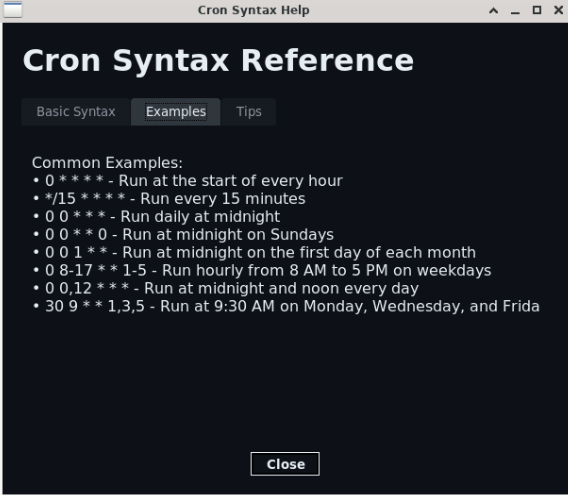
- Include a "what does this cron expression mean" explainer
- Package it properly for easier distribution