Dullbox - From Mini-PC to Full Homelab Server
I've long been hosting a few services on my main PC, mostly with Docker or VMs, and a few "resource-light" ones on Pi 3s. I decided it's time to consolidate my setup for various reasons, e.g security, cleanliness, and just to keep my main system cleaner. I was also interested to try out Proxmox properly. So it started as a simple migration of the services from the Pi(s) and PC, and is slowly becoming my new homelab / server, with web-based management and SSH terminal access.
The Hardware
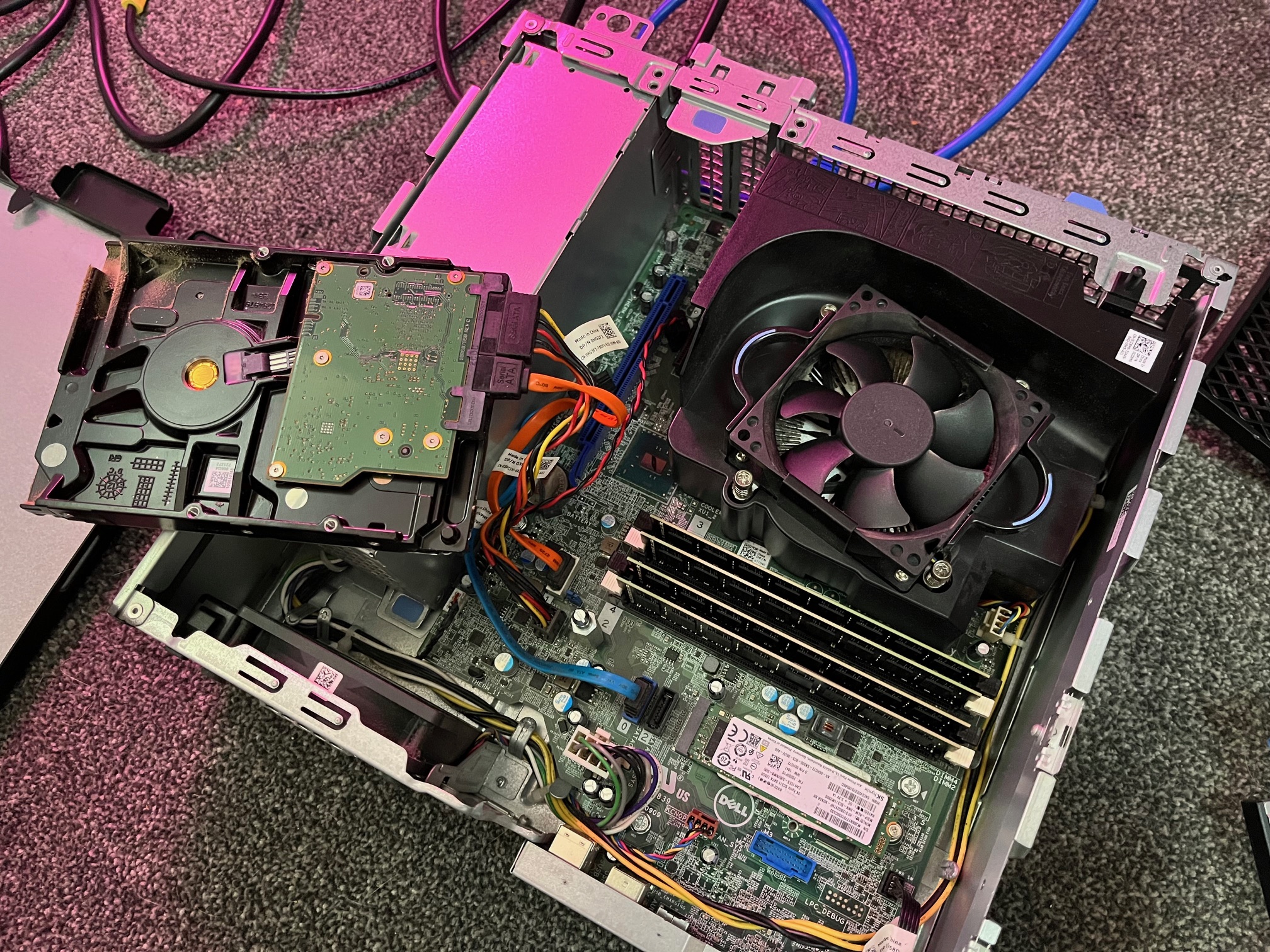
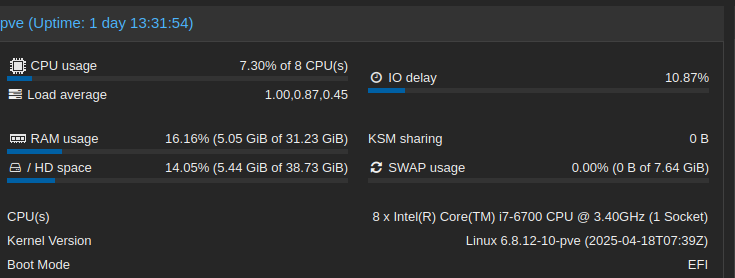
So, I wanted to do this without breaking the bank, and found a Dell OptiPlex 5040 mini-PC on eBay for £20. Nothing fancy, but pretty capable. It came with 8gb RAM so I put in some new sticks to bump it up to 32.
- Intel Core i7-6700 (4 cores/8 threads) - plenty of power for my services for now
- 32GB RAM - 8GB RAM was really limiting, enough to get started and mess around, but I knew I'd want more
- 128GB SSD - So, I'm setting containers up on this for now, but will add in a 1TB SSD and 1TB HDD
- Gigabit Ethernet - pretty essential
It's no beast, but I am doing most of my self-hosting for fun, often just spinning up VMs or containers for a few weeks or months while I try out some new (to me) tech such as Grafana and Prometheus, so it does the job..very well to be honest.
The Migration Story
So I was running most of my light services on the Pi's - Gitea, WebDAV, Syncthing, a basic webpage, and Wireguard VPN. Pi's are great, and everything worked, but they were starting to get cramped, and my office was more than a little messy. As for the services hosted on my PC, well, I do break it sometimes (thanks Snapper), it was getting messy, and with some of the projects I'm planning, security / abstraction is huge factor.
The plan:
- Install Proxmox on the 5040, AKA my Dullbox
- Migrate services to LXC containers, a couple to VMs
- Build a proper monitoring dashboard, I made a wee one that I'm using already, but want to expand on it a lot
Layout & Services
The Network Layout
Starting with some essential services I need on my network before moving onto others such as data storage and home media:
- 192.168.1.90 - Proxmox host (Dullbox)
- 192.168.1.91 - Web server container (NGINX) to host my dash / HomeTown
- 192.168.1.92 - Gitea container (self-hosted Git)
- 192.168.1.93 - Syncthing container (file sync)
Each service gets its own LXC container, management, backups, and potential migration is looking fantastic so far. Proxmox is a great solution, I could have just installed Debian on the Dullbox and host Docker containers and VMs on there, but not only is this more fun, it's something new for me to tinker with and learn.
The Services
Gitea - My personal Git server. Lighter than GitLab for when I was setting up my Pi, and a great project to support.
WebDAV server - File sharing that works with any client on my network, running on NGINX, and integrated with the main dashboard.
Syncthing - Keeps files synchronized across all my devices. I have a few similar services, Syncthing is basic, it does the job without being "over-produced", and I really like it.
Custom dashboard - HomeTown, my own web interface for monitoring and managing the homelab, with SSH terminal access and the monitoring stack integrated in. It has its own write-up.
Monitoring Stack
The "better alerting and monitoring" item on the to-do list has been sorted. The whole stack runs in dedicated LXC containers alongside the rest of the lab.
Prometheus - Metrics collection, running in the same container as Loki. Scrapes Node Exporter on the Proxmox host for system metrics (CPU, RAM, disk, network), and pulls per-container and per-VM resource usage from the Proxmox API via pve-exporter.
Loki - Log aggregation. Promtail agents on the Proxmox host and key containers ship systemd journal logs and application logs into Loki. Searchable from Grafana's Explore view, which makes it much easier to track down what actually went wrong when something breaks.
Grafana - Dashboards for everything Prometheus and Loki collect. The Node Exporter Full dashboard covers the host in detail, and a Proxmox dashboard breaks down resource usage per container and VM. It's also the interface for querying Loki logs. Runs in its own container, only accessible to me.
Uptime Kuma - HTTP endpoint monitoring for all the running services. Checks that they're actually responding, not just that the host is up. Sends alerts via Ntfy when something goes down or comes back up.
Ntfy - A self-hosted push notification server. When Uptime Kuma spots a problem, a notification lands on my phone. Message content stays on the local server and never passes through an external service, which was important to me.
Technical Challenges & Solutions
SSH Key Management
Setting up passwordless SSH between the web container and every device on the network, you can only access Dullbox via WireGuard, but I just feel it's good practice. The web server's www-data user needed access to SSH keys while keeping everything secure.
Container Networking
Learning Proxmox's virtual bridge networking and ensuring containers could communicate properly while maintaining isolation took some trial and error, but this is half the reason I am doing this project.
Current Status & Future Plans
What's Working
- All original services migrated and running better
- HomeTown dashboard with integrated monitoring
- Web-based SSH terminals to any device
- Automated Proxmox backups
- Full observability stack: metrics, logs, dashboards, and phone alerts
Upcoming Upgrades
Hardware:
- Proper storage array for media and backups - will use a 1TB HDD, and look into backing up to another PC in the house as well that isn't being used much at the moment. Redundancy is everything
- I might stick in an old GPU - I've been messing with a wee Ollama LLM just for fun, a graphics card will help will definitely make this better
Software:
- Linux VMs for development and testing my code on different distros when I'm not at home
- Self-hosted wiki for documentation, I really need to tidy up my notes
Currently
The whole setup runs 24/7, handles all my development work, and lets me easily test for new ideas or play with a new tool. Not bad so far, not bad.